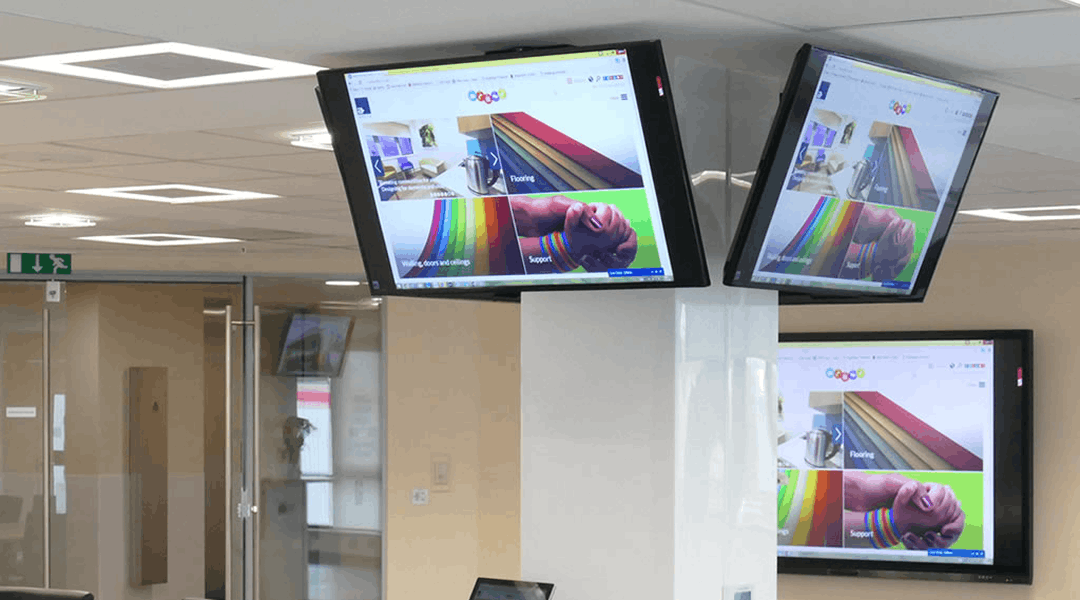
Digital & Interactive Displays
Digital and Interactive Displays modernise the way organisations collaborate, teach, and present information.
They are designed for meeting rooms, classrooms, and shared workspaces where teams need to share content and communicate more effectively.

What are Digital & Interactive Displays?
Digital and Interactive Displays are large-format touchscreen devices that allow users to present, write, draw, and interact with content directly on the screen.
They combine a high-resolution display, a built-in computer or media player, and an interactive touch interface. Most systems are cloud-managed and support wireless connectivity, enabling seamless participation from laptops, tablets, and remote attendees.
Common examples include smart whiteboards used in classrooms, conference room displays for meetings, and collaboration screens that integrate with platforms such as Microsoft Teams, Zoom, and Google Workspace.
Key Benefits of Digital & Interactive Displays
- Improved collaboration for remote and in-room participants
- Wireless screen sharing without cables or adaptors
- Real-time annotation, whiteboarding, and note capture
- Increased engagement in meetings and classrooms
- Faster decision-making through shared visual content
- Reduction in printing and projector maintenance costs
- Standardised meeting room experience across locations
Types of Digital & Interactive Displays

Interactive Smart Whiteboards
Touch-enabled panels designed for teaching, training, and workshops. Support handwriting recognition, digital ink, and multi-user interaction.

Conference Room Displays
Large-format, high-resolution screens optimised for meetings, presentations, and hybrid collaboration.

All-in-One Collaboration Displays
Integrated display, camera, microphone, and speaker systems that function as a complete meeting room solution.

Wireless Presentation Displays
Screens designed for effortless screen sharing from laptops and mobile devices, ideal for open collaboration spaces.
Use Cases
- Meeting rooms and boardrooms
- Classrooms and lecture theatres
- Training rooms and workshops
- Hybrid workspaces
- Visitor and client presentation areas
- Corporate communication and project rooms

What to consider when installing
Digital and Interactive Displays require reliable network connectivity, suitable wall mounting or mobile trolleys, correct cabling, and configuration of meeting room peripherals.
For larger deployments, consistency in screen size, mounting height, and interface configuration is essential. Professional installation ensures proper calibration, cable management, and integration with existing AV equipment.
Why choose entrustIT for
Digital & Interactive Display Solutions?
- Expert consultancy to select the right display technology
- Full installation, configuration, and integration services
- Cloud management and remote monitoring options
- Support for multi-site deployments
- Training for end users and IT teams
- UK-based service and ongoing maintenance
FAQs
Q: What is the difference between a digital display and an interactive display?
Q: Do digital displays work with Microsoft Teams or Zoom?
Q: Do I need a PC to use a smart whiteboard?
Q: Can multiple people interact with the screen at the same time?
Q: Do you also provide ongoing support and maintenance?
Q: What sizes are available?
CASE STUDY
Altro Limited
Founded in 1919 and family owned, Altro Limited is a global leader in the manufacture of premium flooring and wall cladding systems for the construction and transport sectors.
View Study